mirror of
https://github.com/vernette/ipregion.git
synced 2026-10-19 01:57:24 +00:00
 b1e6ca2ef3
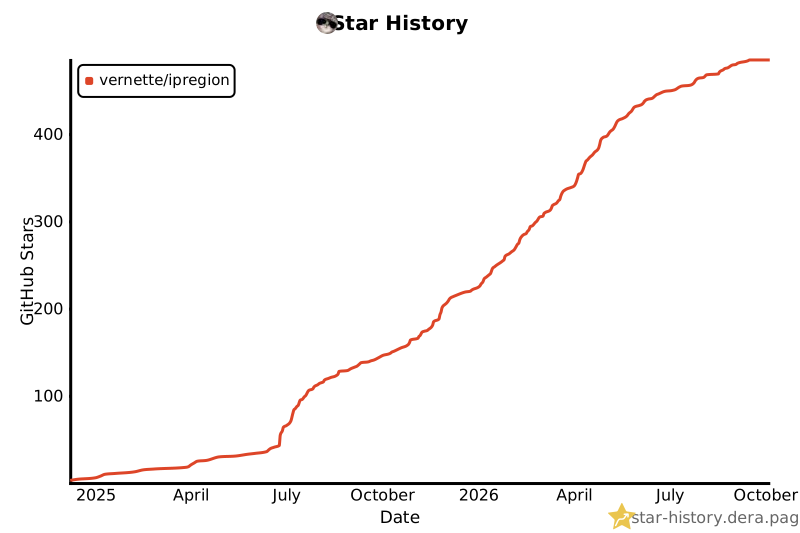
The star history chart is currently broken because of GitHub stargazer API restrictions. Point it to a working data source so the chart renders again.
107 lines
3.1 KiB
Markdown
Executable file
107 lines
3.1 KiB
Markdown
Executable file
# ipregion
|
||
|
||

|
||
|
||
## Usage
|
||
|
||
### Download and run locally
|
||
|
||
```bash
|
||
wget -O ipregion.sh https://ipregion.vrnt.xyz
|
||
chmod +x ipregion.sh
|
||
```
|
||
|
||
### Run directly from GitHub
|
||
|
||
```bash
|
||
bash <(wget -qO- https://ipregion.vrnt.xyz)
|
||
```
|
||
|
||
### Mirror (proxy through server)
|
||
|
||
If direct access to GitHub is unreliable or slow for you, use the mirror domain. It fetches the script through the server instead of redirecting you to GitHub:
|
||
|
||
```bash
|
||
# Download and run locally
|
||
wget -O ipregion.sh https://ipregion.mirror.vrnt.xyz
|
||
chmod +x ipregion.sh
|
||
|
||
# Run directly
|
||
bash <(wget -qO- https://ipregion.mirror.vrnt.xyz)
|
||
```
|
||
|
||
> [!NOTE]
|
||
> Unlike `ipregion.vrnt.xyz`, which simply redirects to GitHub, `ipregion.mirror.vrnt.xyz` proxies the request through the server (client -> server -> GitHub). Use it when the primary domain works poorly due to GitHub connectivity issues
|
||
|
||
### Docker
|
||
|
||
#### Run the container for IPv4 (default Docker bridge network)
|
||
|
||
This runs your IP geolocation check using IPv4 only, without requiring host network mode:
|
||
|
||
```bash
|
||
docker run --rm vernette/ipregion:latest
|
||
```
|
||
|
||
You can append additional script options as needed, for example:
|
||
|
||
```
|
||
docker run --rm vernette/ipregion:latest --group geoip
|
||
```
|
||
|
||
#### Run the container with host networking (for IPv4 & IPv6 or custom interface)
|
||
|
||
To access both IPv4 and IPv6 on the host real network interfaces, or to specify a custom network interface (e.g., eth1), use Docker host network mode:
|
||
|
||
```bash
|
||
docker run --rm --network=host vernette/ipregion:latest
|
||
```
|
||
|
||
```bash
|
||
docker run --rm --network=host vernette/ipregion:latest --interface eth1
|
||
```
|
||
|
||
> [!NOTE]
|
||
> When using `--network=host`, the container shares the host network stack, which reduces network isolation but enables full access to interfaces. Without `--network=host`, the container uses Docker bridge network, which may not expose IPv6 or allow interface selection
|
||
|
||
## Features
|
||
|
||
- Multiple GeoIP APIs and web services (YouTube, Netflix, ChatGPT, Spotify, etc.)
|
||
- IPv4/IPv6 support with SOCKS5 proxy and custom network interface
|
||
- JSON output and color-coded tables
|
||
|
||
## Dependencies
|
||
|
||
- bash
|
||
- curl
|
||
- jq
|
||
- util-linux/bsdmainutils
|
||
|
||
## Key Options
|
||
|
||
```bash
|
||
./ipregion.sh --help # Show all options
|
||
./ipregion.sh --group primary # GeoIP services only
|
||
./ipregion.sh --group custom # Popular websites only
|
||
./ipregion.sh --ipv4 # IPv4 only
|
||
./ipregion.sh --ipv6 # IPv6 only
|
||
./ipregion.sh --proxy 127.0.0.1:1080 # Use SOCKS5 proxy
|
||
./ipregion.sh --json # JSON output
|
||
./ipregion.sh --debug # Debug mode
|
||
```
|
||
|
||
All options can be combined.
|
||
|
||
## Country codes
|
||
|
||
The script outputs country codes in ISO 3166-1 alpha-2 format (e.g., RU, US, DE).
|
||
|
||
You can look up the meaning of any country code at the official ISO website: [https://www.iso.org/obp/ui/#search/code/](https://www.iso.org/obp/ui/#search/code/)
|
||
|
||
Just enter the code in the search box to get the full country name.
|
||
|
||
## Contributing
|
||
|
||
Contributions are welcome! Feel free to submit pull requests to add new services or improve the script’s functionality.
|
||
|
||
|